status : 컨테이너 런타임 상태 (creating, created, running, stopped)
pid : 컨테이너 프로세스 ID
bundle : 컨테이너 번들 디렉터리의 절대 경로
annotations : 컨테이너의 주석 목록
이전에 만들었던 container 패키지에 직접 구조체를 생성할 수도 있겠지만 OCI Runtime Spec은 specs-go 패키지에서 사용할 수 있는 구조체등을 제공한다,
specs-go가 제공하는 State구조체는 아래와 같다.
// State holds information about the runtime state of the container.
type State struct {
	// Version is the version of the specification that is supported.
	Version string `json:"ociVersion"`
	// ID is the container ID
	ID string `json:"id"`
	// Status is the runtime status of the container.
	Status ContainerState `json:"status"`
	// Pid is the process ID for the container process.
	Pid int `json:"pid,omitempty"`
	// Bundle is the path to the container's bundle directory.
	Bundle string `json:"bundle"`
	// Annotations are key values associated with the container.
	Annotations map[string]string `json:"annotations,omitempty"`
}
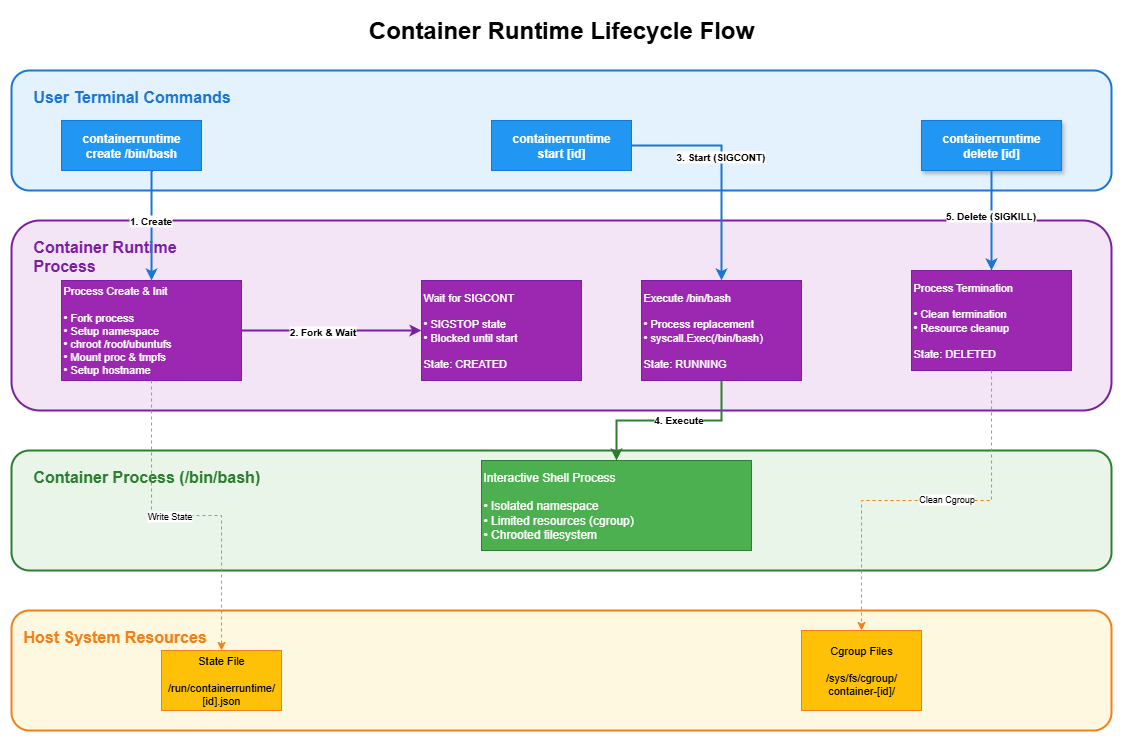
이러한 state를 어디서 관리할지는 자율적이다. 이번 contaeruntime 프로젝트의 경우 /run/containeruntime에 저장한다.
/run 디렉터리는 런타임 변수 데이터를 저장하는 디렉터리로 시스템이 부팅된 이후부터의 데이터를 가진다. containerd와 같은 고수준 런타임은 상태 저장형으로 동작하기에 /var/lib/containerd와 같은 영구적인 디렉터리를 사용하지만
저수준 런타임의 경우 어디까지나 런타임 스코프 내에서 동작해야 한다.
container패키지에 state관리를 위한 state.go파일을 만들어 관리용 함수 몇 개를 추가했다.
[hwyoon@rocky9 containeruntime]$ ./containeruntime state id
{
 "ociVersion": "1.2.1",
 "id": "id",
 "status": "created",
 "pid": 19977,
 "bundle": "/rootfs/ubuntu"
}
이외에도 cli기본 뼈대를 위해 나머지를 간단히 만든다.
kill에 대한 설명은 아래와 같다. create, running상태인 컨테이너를 대상으로 지정된 시그널을 보내는 것이다.
Kill kill <container-id> <signal>
This operation MUST generate an error if it is not provided the container ID. Attempting to send a signal to a container that is neither created nor running MUST have no effect on the container and MUST generate an error. This operation MUST send the specified signal to the container process.
간단히 kill 함수를 구현해 주었다.
internal/container/container.go
func Kill(containerId string, signal syscall.Signal) error {
    state, err := loadState(containerId)
    if err != nil {
       fmt.Printf("container : %v\n", err)
    }
    if state.Status == specs.StateRunning || state.Status == specs.StateCreated {
       return fmt.Errorf("You can send a signal only to containers in the running or created state.")
    }
    syscall.Kill(state.Pid, signal)
    return nil
}
이제 kill signal을 어떻게 받을 것 인지가 중요한데.
SIGTERM과 같이 human-readable 하게 보내지는 않는다.
linux 시스템의 kill 커맨드와 같이 숫자로 받는다. (사실 시스템콜이 다 int 기반이다)
package cmd

import (
	"context"
	"errors"

	"github.com/urfave/cli/v3"
	"github.com/yoonhyunwoo/containeruntime/internal/container"
	"github.com/yoonhyunwoo/containeruntime/internal/linux/cgroup"
)

var DeleteCommand = &cli.Command{
	Name:      "delete",
	Usage:     "This command deletes a container and its associated resources.",
	ArgsUsage: "<container-id>",
	Action: func(ctx context.Context, command *cli.Command) error {
		if command.Args().Len() != 1 {
			return errors.New("container-id is required")
		}

		containerId := command.Args().First()
		if err := container.Delete(containerId); err != nil {
			return err
		}

		return cgroup.CleanCgroups()
	},
}
[hwyoon@rocky9 containeruntime]$ sudo ./containeruntime create
Running: []
[hwyoon@rocky9 containeruntime]$ sudo ./containeruntime state id
{
 "ociVersion": "1.2.1",
 "id": "id",
 "status": "created",
 "pid": 21245,
 "bundle": "/rootfs/ubuntu"
}[hwyoon@rocky9 containeruntime]$ sudo ./containeruntime delete id
[hwyoon@rocky9 containeruntime]$ sudo ./containeruntime state id
container : Can not open state: open /run/containeruntime/id.json: no such file or directory
Can not get conateinr idnull[hwyoon@rocky9 containeruntime]$
[hwyoon@rocky9 containeruntime]$ ps -ef | grep -i 21245
hwyoon     21285   19793  0 22:52 pts/2    00:00:00 [rosetta] /usr/bin/grep grep --color=auto -i 21245
[hwyoon@rocky9 ~]$ ls /sys/fs/cgroup/gamap-container/processes
ls: cannot access '/sys/fs/cgroup/gamap-container/processes': No such file or directory
프로세스 및 state, cgroups까지 잘 지워진다.
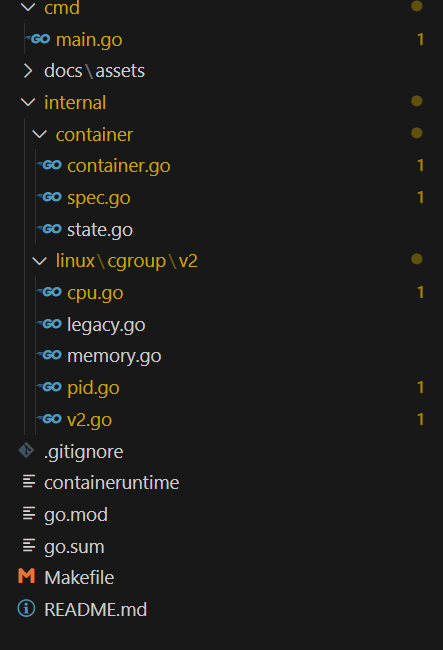
만들면서 계속 빌드 및 테스트가 반복되고 있다. 어딘가에는 명시를 해두어야 할 것 같아서 Makefile을 만들었다.